Darkroom NotesSeason 5STIL.NOTEPart 6 of 6
The talk becomes a note — a fifth tool, and the end of Darkroom Notes Season 5
Record, transcribe, sort, shape, export. Everything this season has covered, one post at a time, joins up over a single recording. To finish, I trace that flow from start to end, write down what building a fifth tool taught me, and close Darkroom Notes Season 5.
So far this season: speaker names, summary discipline, the order of saving, listening twice. To finish, let me trace how one conversation becomes a note, start to end — and close Season 5 with what building a fifth tool taught me.
Record
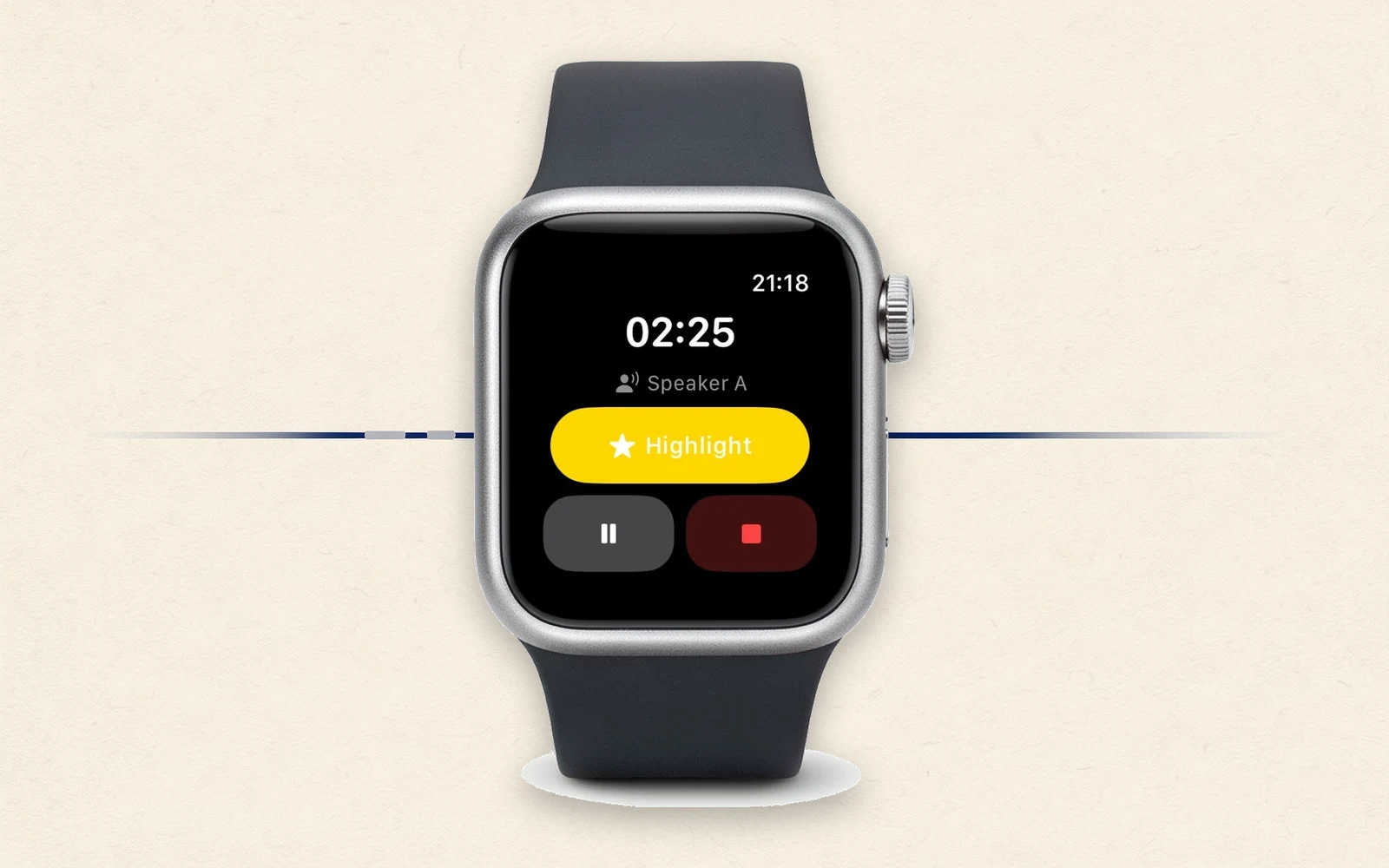
Start recording, and the words flow onto the screen as they're spoken. You can also run things from your wrist: Apple Watch handles start, stop, and a highlight mark for "this part matters." In a meeting, your hand on the table is enough — the iPhone can stay where it is.
One small piece of stubbornness here. The Watch's Double Tap gesture — pinching your fingers twice — is assigned, during recording, to the highlight mark only. Not to stop. I wanted the accident where a stray gesture kills the recording to be impossible by design, because a stopped recording can't be gotten back.
The Watch records on its own, too. Out walking without your iPhone, record anyway — it transfers over automatically later and gets processed the same way.
Transcribe, sort, shape
When the recording ends, the audio is saved to a file first; then the speakers are sorted out and the whole thing is shaped into decisions, to-dos, and key points. Recordings that mix Japanese and English can be imported with the two-listener method. Attach the meeting's PDF materials, and both the recognition of proper nouns and the summary sharpen to match.
The note titles itself from the summary. And as notes pile up, you can search across all of them — "when was that conversation?" becomes something you can look up in a record of spoken words.
More than one way out
Notes don't stay locked in the app. They export as Markdown, plain text, or audio (WAV / M4A), and go to Obsidian in one step. iCloud sync is optional — and even then it's your own iCloud, nobody else's. Not closing off the exits at my own doorstep is the same thinking as with receipts. A record should stay yours even after you outgrow the tool.
No accounts, as always
STIL.NOTE has no account registration either. The core — record, transcribe, sort, shape, search — stays free. Expanded export, the Obsidian integration, and iCloud sync are Pro (¥600/month, ¥5,000/year, or ¥10,000 once). Recording is a daily, ongoing thing, so as with receipts, the yearly or the one-time purchase probably suits it better.
One note: summaries require an iPhone that supports Apple Intelligence. Finishing everything inside the device is built on that.
A fifth tool
A moment from a video, a face turned drawing, a business card, a receipt — and now a voice. The fifth is the closest this family has come to handling something perishable.
A voice happens once and can't be re-recorded. And half of any recording belongs to the person who was talking with you. So the one line this family has held from the start — your material doesn't leave the device — weighs the most right here. The struggles this season described — not naming a voice it doesn't know, not inventing a meeting it didn't hear, not losing fifteen entrusted minutes — were all, I think, about that weight.
Closing — Darkroom Notes Season 5
Darkroom Notes closes Season 5 here. What comes out of the tank next, I haven't decided. The family will keep growing, a little at a time.
STIL.NOTE is out on the App Store. You'll find more about the app at stil.photo/note, and the app itself on the App Store. If you feel like it, record your next meeting and see.