Darkroom NotesSeason 6STIL.HUBPart 1 of 6
A deck on my desk — Darkroom Notes, Season 6, and STIL.HUB
That little machine on a streamer's desk, rows of buttons across its face — I'd always been a bit envious of it. Your everyday actions, sitting there as physical buttons. Then it struck me: there was already an iPhone on my desk. Darkroom Notes Season 6 is about STIL.HUB, the app that turns an iPhone into a control deck for your Mac.
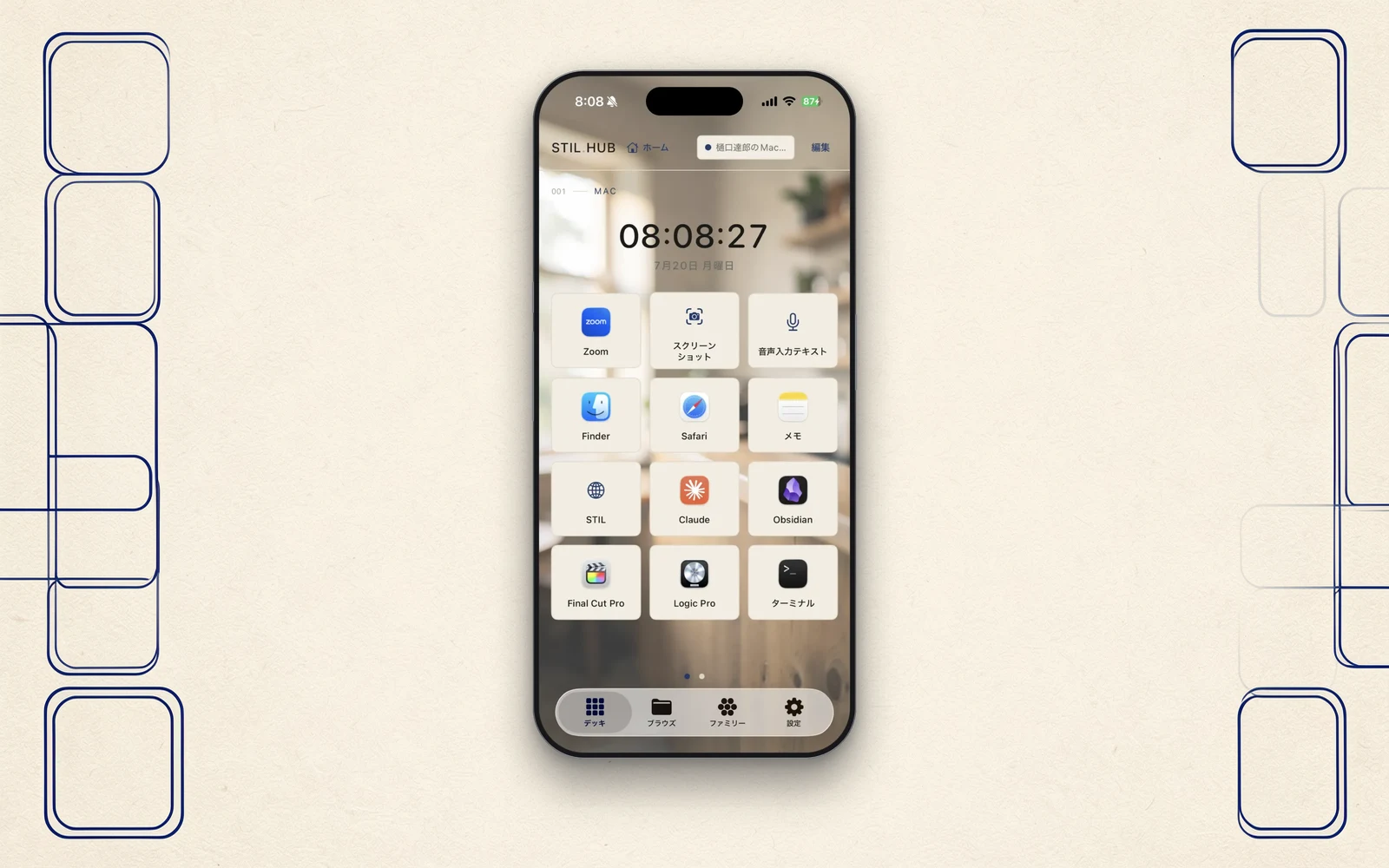
Darkroom Notes enters its sixth season today. The five before it — a moment from a video, a face turned drawing, a business card, a receipt, a voice — were all tools that take your material and shape it inside this iPhone. This tool is a different animal. It processes nothing. Control for your Mac. STIL.HUB turns an iPhone into a control deck sitting at your hand.
The little machine with the buttons
There's a little machine you see in photos of streamers' desks — rows of buttons across its face. Press one and the scene switches, or an app launches. Your most-used actions, laid out in front of you as physical buttons. I'd always been a bit envious of it.
But when I asked myself whether I wanted one more dedicated gadget on the desk, something occurred to me. There was already an iPhone lying there. It has a screen, it responds to touch, it's always within reach. What was missing wasn't a machine — just a road for handing the iPhone that job.
A companion living on the Mac
There is, however, a wall in iOS: an iPhone app cannot operate a Mac by itself. To move a Mac from outside, something has to live on the Mac's side, receiving the commands and carrying them out.
So STIL.HUB is a duo. The iPhone app, and a small companion that sits quietly in the Mac's menu bar. Press a button on the iPhone, and the companion picks it up — launches the app, types the keys, opens the file.
This companion can't live in the Mac App Store. Its work — launching other apps, injecting keystrokes — sits outside the store's safety fence (the sandbox). So it goes through Apple's notarization check and is distributed directly from stil.photo/hub. More on that arrangement in the final post.
When it's not connected, it's a doorway
One more thing I decided at the start: when there's no Mac around, this app shouldn't be an empty room.
Away from the Mac, STIL.HUB works as a launcher for the STIL family's apps — and, laid on its side, as a desk clock. That's where the name HUB comes from. Six tools in, the family finally has something like a front door.
Twelve days
I jotted down the idea on July 18. It went live on the App Store on July 29. Twelve days — the fastest of the family so far. But those twelve days managed to fit a full set of incidents, and this season takes them out one at a time.
- Designing trust into a tool that can operate your Mac
- The PDF that never opened, even though the reply said "ok"
- How I stopped asking the Mac and started talking to the iPhone
- How the words "your iPhone" became unusable, and I went hunting for language
- How the phone becomes a deck
Here we go
Control for your Mac — the story of giving the iPhone on my desk a second job. Next time, the design underneath everything else. This tool can operate a Mac; that's exactly why it needed a six-digit passphrase.
STIL.HUB is out on the App Store, free. The app and its Mac companion are at stil.photo/hub, and the app itself on the App Store.