Darkroom NotesSeason 5STIL.NOTEPart 1 of 6
No second take — Darkroom Notes, Season 5, and STIL.NOTE
Take notes, and you stop hearing the conversation. Listen properly, and nothing gets written down. I spent years going back and forth between the two. Unlike a photo, a conversation has no second take. Darkroom Notes Season 5 is about STIL.NOTE, the voice app — starting, as always, with why I built it.
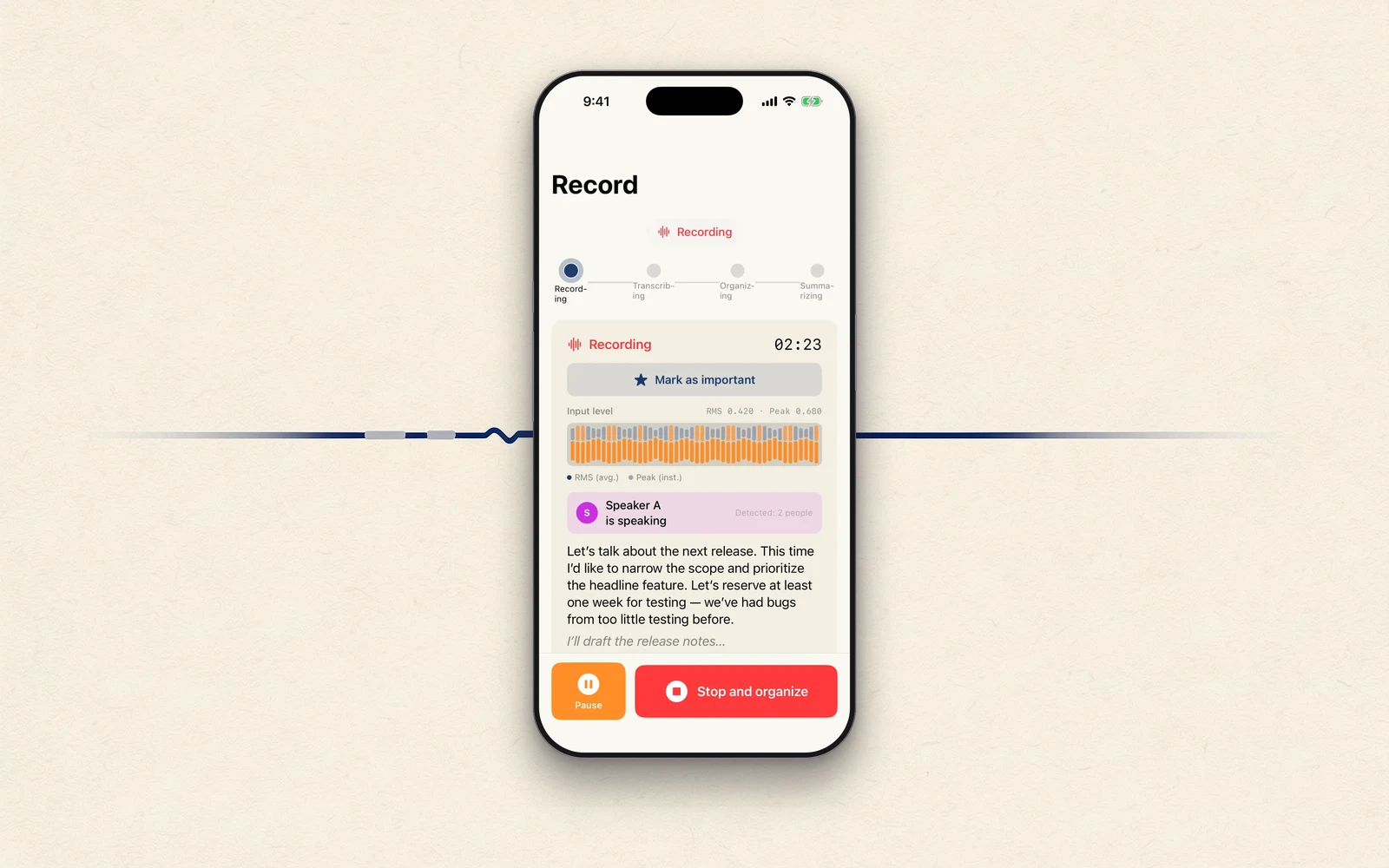
In Darkroom Notes I've written about STIL., which lifts a single frame out of a video; STIL.TOON, which turns faces into drawings; STIL.BIZ, which turns business cards into contacts; and STIL.RECEIPT, which turns receipts into expenses. Season 5 picks up from there. STIL.NOTE: press record, and everything from transcription to summary happens inside this iPhone. From speech to summary. The first post, as always, is about why.
Take notes, and you stop hearing
In a meeting, taking notes while listening is harder than it sounds. While you're writing, your ears are half elsewhere. But if you give the conversation your full attention, nothing survives it. I went back and forth between the two for years.
And unlike a photo, a conversation has no second take. A landscape you missed, you can sometimes go back for. The conversation you just had will never happen the same way again. If you want to keep it, you have to keep it while it's being spoken.
A voice is closer to something held in trust
So just record it — except here the usual problem appears. Most services that transcribe or summarize audio send your recording to a server.
I wrote the same thing about photos, and about business cards: I didn't want them leaving the device. A voice, I think, weighs one step more. A recording holds not just your own voice but the voices of the people you were talking to. A recording of a meeting isn't entirely yours. Half of it is held in trust. I wasn't going to trade that away for convenience.
The thinking is the same as in the data post and the cards post. Recording, transcription, summary — all of it inside this iPhone. No account, either.
Record, transcribe, summarize
With STIL.NOTE, once you start recording, the words become text as they're spoken. When the recording ends, it sorts out who said what and shapes it into decisions, to-dos, and key points. The conversation turns into a note you can actually go back and read. And it works in places with no signal at all.
But the voice fought me at every step
What I learned once I started building is how unforgiving a material the voice is. This season walks through what happened, one post at a time.
- How the speaker names I "enrolled" turned out to be nothing but sticky notes
- How the AI conjured an entire meeting out of a single "Yes."
- How I lost fifteen minutes of audio and moved saving to the very front
- How transcription fell apart when English slipped in — and how listening twice fixed it
- How a conversation becomes a note
Like the four seasons before it: the backstage story, without the varnish.
Here we go
From speech to summary. So you can give the conversation your full attention — and still have something left afterward. Next time, the most surprising story in this family: how a name I had enrolled turned out to be a sticky note.
STIL.NOTE is out on the App Store. You'll find more about the app at stil.photo/note, and the app itself on the App Store.