Darkroom NotesSeason 4STIL.RECEIPTPart 6 of 6
When a receipt becomes an expense — a fourth tool, and the end of Darkroom Notes Season 4
Capture, read, sort, verify, turn into an expense. The pieces I've written one by one come together on a single receipt. To close, I trace that flow from start to finish, write what I came to think after building a fourth tool, and end Darkroom Notes Season 4.
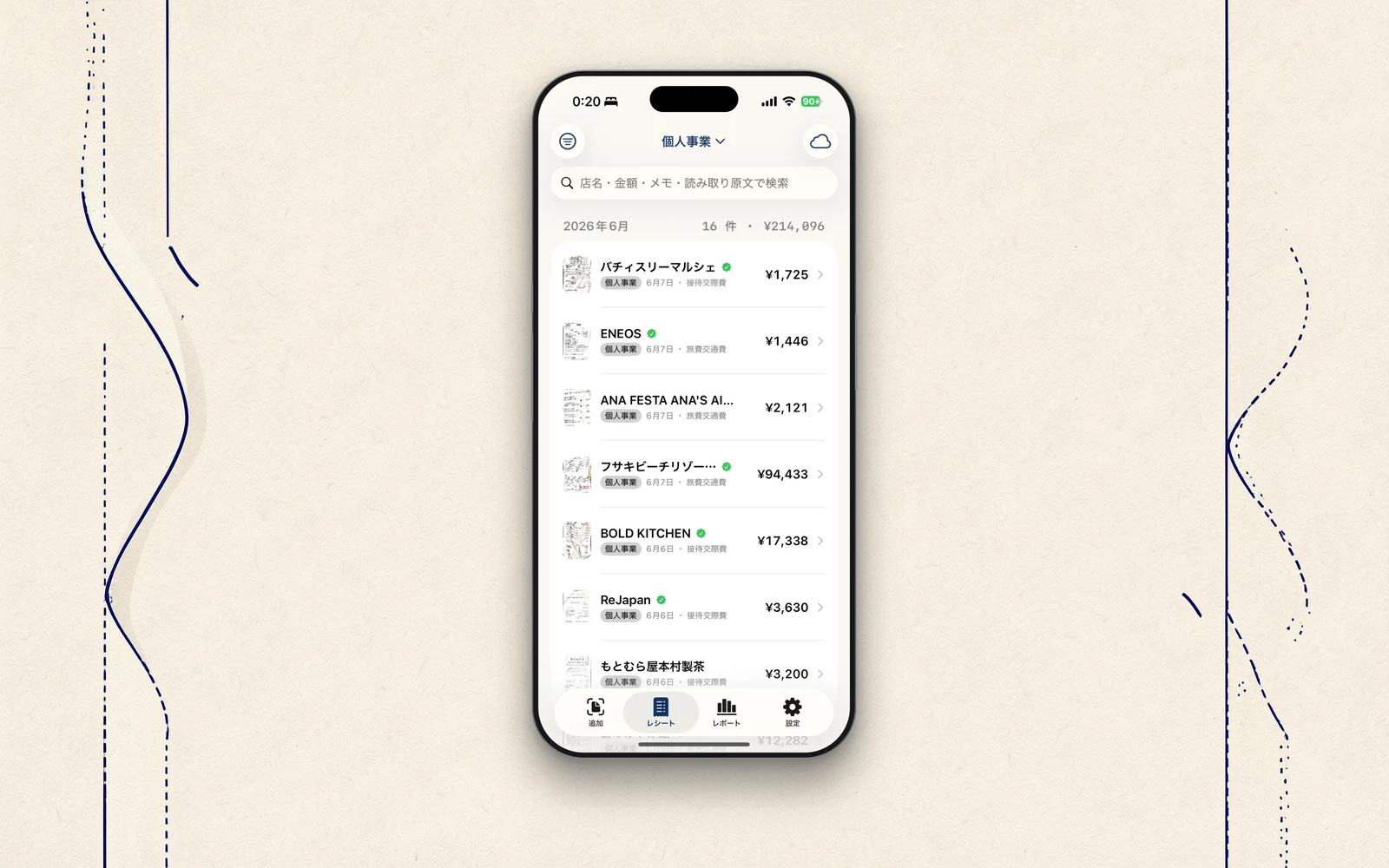
So far I've written around the edges of STIL.RECEIPT — reading receipts, fixing what broke, choosing the words. To finish, I'll trace how a single receipt becomes an expense, start to finish. And then write what I came to think after building a fourth tool, and close Season 4.
Capture, read, into an expense
Hold a receipt up to the scanner, and it finds the rectangle of the paper, straightens the skew, and takes it in. Text recognition reads it. The line items, after being rebuilt into visual lines from scattered fragments, are sorted by AI and rules into store, date, amount, and tax category. Finally, a check against the total confirms the numbers add up.
Then a quick fix on the confirmation screen, and save. The list runs month by month, searchable by store or amount. The invoice registration number, too, is read automatically and format-checked. And all of it finishes inside this iPhone. Not one receipt is sent to any server.
More than one exit
It doesn't end at capture. Go Pro, and you can export the expenses you've piled up in the shapes accounting software expects — freee, Money Forward, Yayoi, each with its slightly different CSV format. You can also keep them in a form that follows the recordkeeping law's search requirements (transaction date, amount, counterparty).
Photographing the receipt isn't the end — the tool connects through to what comes next: the tax filing, the bookkeeping. The exit doesn't close at my end. That, I think, is what matters most in a work tool.
No sign-up
STIL.RECEIPT has no account either. This is the same as with cards and STIL.BIZ — part of the same current running through the family: no accounts. Collect nothing. Hold nothing.
The core — capture, read, sort, search — is all there on the free tier. Detailed reports, export to accounting software, and iCloud sync are Pro (¥300 a month, ¥2,000 a year, ¥3,000 once). Since receipts keep piling up a little each day, the yearly or the one-time is probably the better fit.
Two tools on the work side
STIL.BIZ, which turns cards into contacts, and STIL.RECEIPT, which turns receipts into expenses. The family that began on the daily-life side now has two tools on the work side too. A card, and a receipt. Both, with nothing but a photo, turn into something ready for the next step. And both, inside this iPhone.
In closing — Darkroom Notes, Season 4
Darkroom Notes closes Season 4 here. An instant from a video, an illustration of a face, a business card, and a receipt. What the four tools share is just one thing: your material never leaves the device. Not a flashy thing to have in common. But even after building four, that is still the one thing I least want to bend.
What I'll take out next, I haven't decided yet. The family, though, will keep growing, little by little.
STIL.RECEIPT is out on the App Store. If you like, photograph one of those receipts piled up in your wallet.