Darkroom NotesSeason 3STIL.BIZPart 2 of 6
The camera I didn't build — leaving it to VisionKit
The heart of a card app is the capture. So I assumed the hardest part would be taking the card in cleanly — fixing the skew, removing the shadow, evening out the brightness. I was even ready to build a custom camera for it. But I didn't. The iPhone already had one.
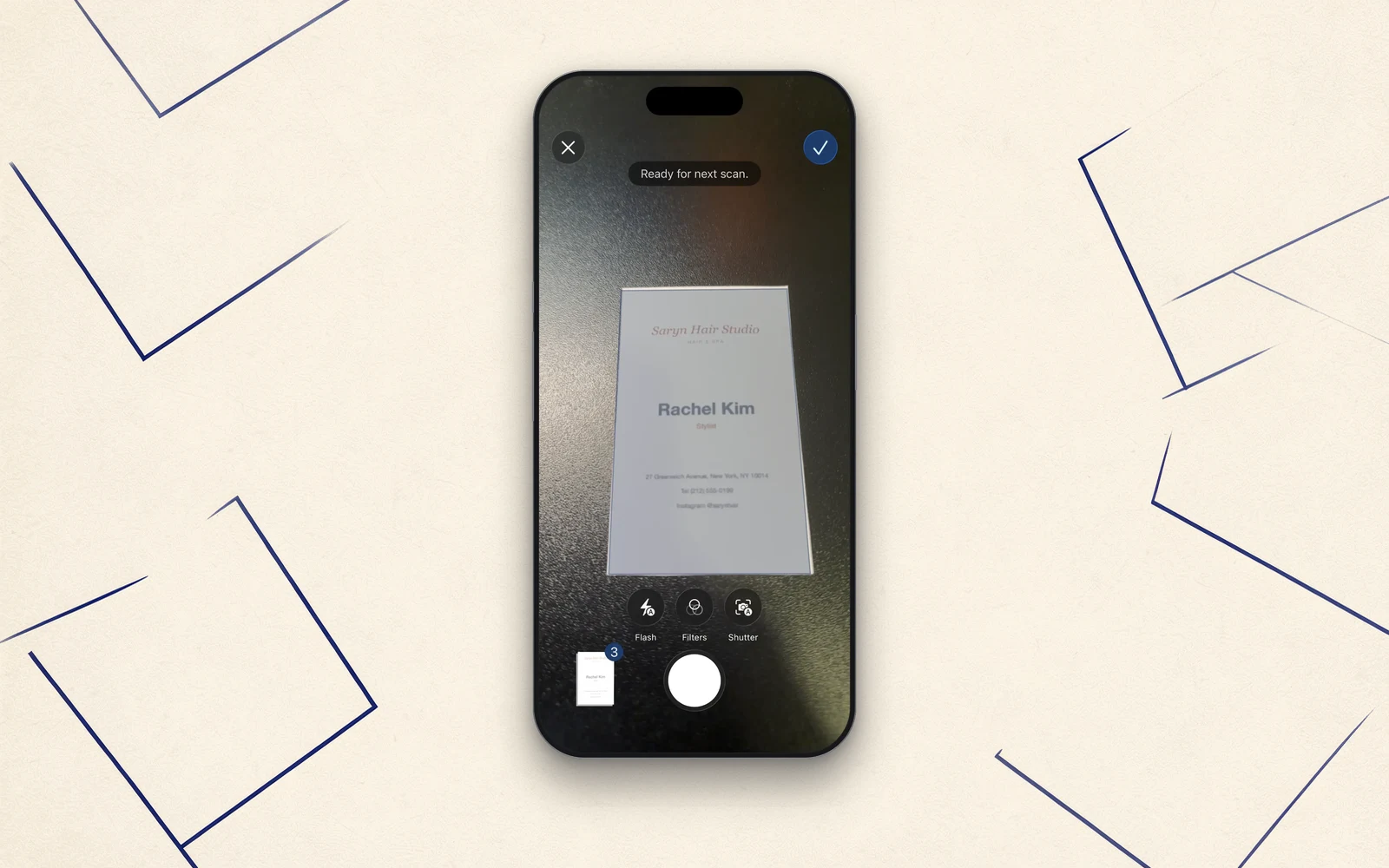
The heart of a card app is the capture. If you can't take the card in cleanly there, the reading and sorting that follow collapse from the foundation up. So I'd assumed the hardest part of this app was the "capture." Today, the story of how I didn't build that heart myself.
What I thought would be hardest
Getting a card in straight and readable takes a lot of processing. Find the rectangle of the paper, correct the skew of an angled shot, remove the shadow it casts on the desk, even out the brightness. Removing the shadow in particular, I figured, would be the toughest part of this app. I was preparing to write a custom camera screen and build the correction myself.
The iPhone already had one
But when I looked into it, the iPhone came with a way to capture documents already built in, as standard. VisionKit's document scanner (VNDocumentCameraViewController) — that screen you get when you scan a document in the Notes app.
Point it at a card, and it finds the rectangle of the paper, straightens the skew and distortion, evens out the lighting, and takes it in. Trying it on a real device was almost anticlimactic. The shadow and brightness handling I'd thought hardest came out more than clean enough. Looking at the result, the only note I had was "if anything, a touch too bright." Far from falling short, it was plenty.
Choosing not to build
So I dropped the custom camera. There's no reason to clumsily rebuild industry-grade correction the OS already has. Even when close-up shots came out a little soft, "ask for a retake" settled it — no elaborate fix on top.
What the app should really do is the part after capture — "read, sort, turn into a contact." Leave the capture to the iPhone. Pour your own time and storage into where the value actually is. When you're building everything alone, this decision to not build is sometimes the one that matters most.
The OS's invisible power
The iPhone has a lot of this "invisible power" tucked away. Rather than make it all from scratch, find the power already there, trust it, and hand the job over. STIL.BIZ's camera isn't something I wrote. But it was the best choice.
Making a tool, it turns out, isn't about building everything yourself — it's also about deciding what not to build. That's what I feel this one taught me.
Next time
The capture, I could hand off. The problem is what comes next — "reading the card and sorting it into fields." And there, an AI that only runs on newer devices comes into play. Next, the story of the far side of that AI cutoff line.
STIL.BIZ is out on the App Store.