Darkroom NotesSeason 3STIL.BIZPart 3 of 6
Past the AI cutoff line — making it run on every iPhone
Reading a scanned card and sorting it into name, company, and the rest — that part runs on Apple Intelligence. But that AI only works on newer iPhones. At first I thought, "then make it an app for supported devices only." But cutting along that line left too many people out. So I decided to deliver the same experience to the side where the AI doesn't run.
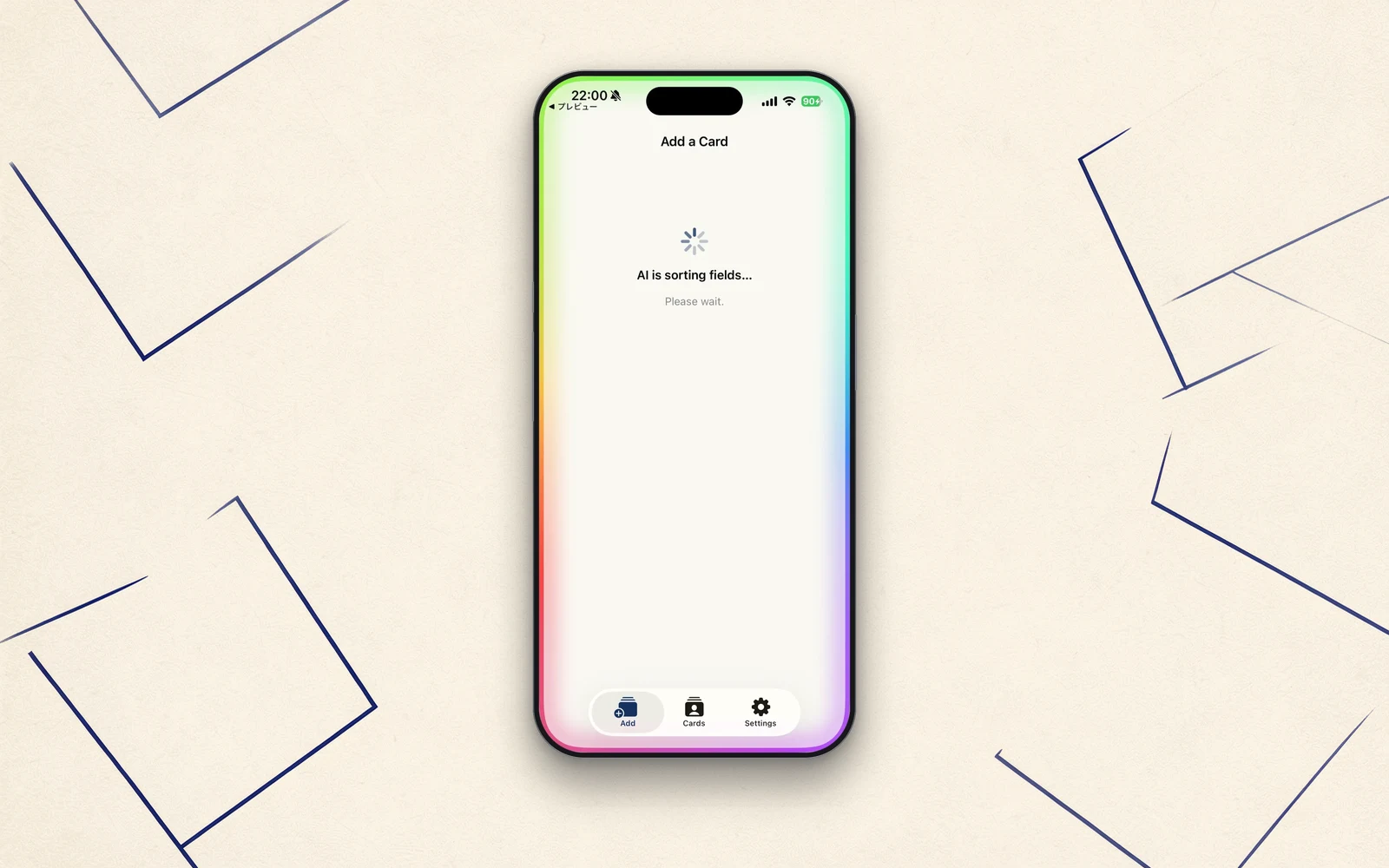
Last time, I wrote that I left the capture to VisionKit. Next comes the step after that — reading the card and sorting it into fields. Vision's text recognition does the reading. The problem was one step further in, with the sorting.
The AI does the sorting
What text recognition returns is a heap of the text printed on the card. "Taro Yamada," "○○ Inc.," "Sales Dept., Manager," "03-…," "…@…." Unless this gets split into name, company, department, title, phone, email, and address, it doesn't become a contact.
STIL.BIZ has Apple Intelligence's Foundation Models — the language model that runs inside the iPhone — do this sorting. Hand it the block of text, and it works out which part is the name, which is the company, which is the title, and puts each in its place. When it lands cleanly, it's a satisfying piece of machinery.
But there's a line
The thing is, those Foundation Models have a clear line. They only run on devices that support Apple Intelligence.
At first I thought, "then I'll make it an app for supported devices only." That makes the build far simpler. But as I looked into which devices qualify, I stopped. Cut along that line, and too many people get left out. The people who use business cards most aren't necessarily the ones with the newest iPhone. If anything, the cards pile up for those who've kept the same device a long time.
The same experience on the side without AI
So I decided: for the devices where the AI doesn't run, I'd write the sorting myself, without AI.
It combines layout — how big the text is, and where it sits on the card — with a keyword dictionary to infer name, company, title, department, and address. I named it CardHeuristicParser. Japanese business cards follow a fairly fixed form. The largest text is usually the name, what sits near it is the company, a string with an @ is the email. Even without AI, rules can get you to accuracy that holds up in practice. And if it gets something wrong, you fix it on the confirmation screen.
I didn't bundle a single library
What made this workable was app size. Normally, carrying your own stand-in for AI means taking on machine-learning models and libraries, and the app gets heavy. It's exactly the kind of moment where size becomes the reason to say, "on second thought, let's not."
But STIL.BIZ borrows the capture (VisionKit), the text recognition (Vision), and the AI sorting (Foundation Models) all from what the OS already ships with — it bundles no model of its own. So the rule-based sorter is nothing but Swift code. The added size was zero. There was no reason left to back away.
On the far side of the line, too
And with that, capture and text recognition became the same on every device. The only difference is what does the sorting — AI on newer devices, rules on the rest. But from where the user stands, a card becomes a contact on any iPhone.
Whether you can run the AI shouldn't decide whether you can use the app. Of everything in STIL.BIZ, this is the part I'm most glad I built. Chasing the new is fun. But it's worth keeping a hand extended to the side that can't chase it. On the far side of the line, there are people.
Next time
That's been a lot of mechanism, so next time, a story from the field. Scanning cards one after another, the screen would freeze around the fifth — and chasing the cause ended with me rebuilding the design itself.
STIL.BIZ is out on the App Store.