Darkroom NotesSeason 6STIL.HUBPart 6 of 6
The phone becomes a deck — a sixth tool, and the end of Darkroom Notes Season 6
Move a companion into the Mac, exchange a six-digit passphrase, lay out the buttons. Everything this season has covered joins up between two machines on one desk. To finish, I trace the flow start to end, tell the story of the family's first-ever "free," and close Darkroom Notes Season 6.
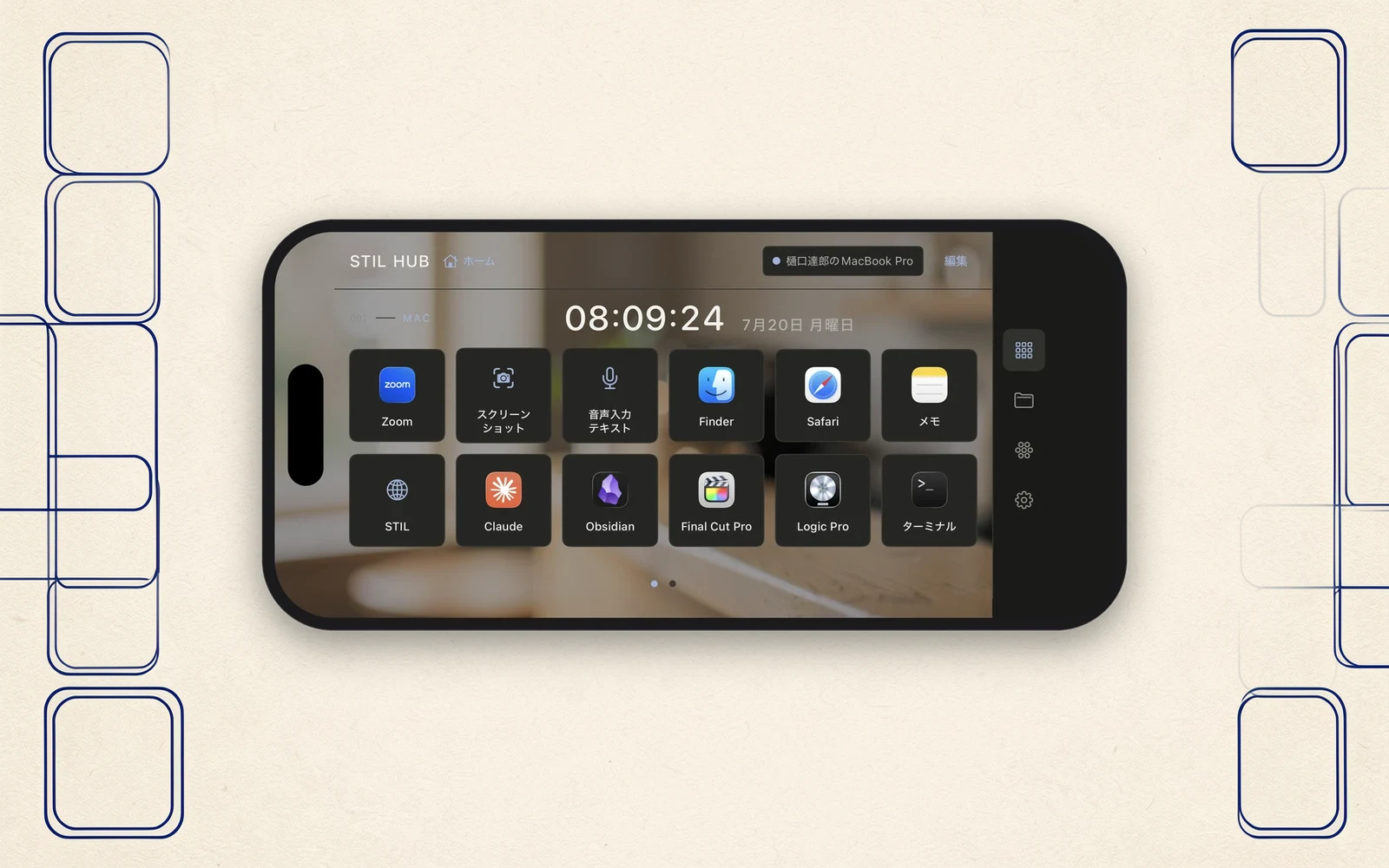
So far this season: the passphrase, the PDF that wouldn't open, speaking here and typing there, the hunt for words. To finish, let me trace the whole run — the iPhone on the desk becoming the Mac's control deck — and then tell the story of the family's first-ever "free," to close Season 6.
First, move the companion in
It starts on the Mac's side. Download the companion from stil.photo/hub and put it in the Applications folder. Both the download page and the app say not just "put it here" but what happens if you don't. Launched from outside its proper place, a mechanism in macOS quietly discards the permissions you granted, every launch — leaving you with "I gave it permission, but only the keys don't work," the kind of breakage where the cause is hardest to find. Writing the why into instructions is, I think, a job of protecting some future person's thirty minutes.
Once the companion has moved in, introduce it to the iPhone with the six-digit passphrase, and setup is done.
Lay out the buttons
Then you line the deck with your own work. Buttons that wake apps. The shortcuts you type most. Screenshots. Files and sites to open. Volume and playback. The third-party app icons that appear on the buttons aren't bundled with my app — they're borrowed at runtime from the apps living on your Mac. What lines up on the deck is always the real thing, from your machine.
The deck also changes outfits with the app. Launch Cursor from the deck, and your hand switches to a Cursor-specific deck; switch the frontmost app on the Mac, and your hand follows along. The two machines on the desk start moving as a pair.
Within reach
Keys and cursor came along too. The screen itself becomes a trackpad, and you can speak on the iPhone and type on the Mac. Calculate on the deck's calculator and drop the result into a Mac cell in one tap. Send copied text over; walk the Mac's folders from your hand and open what you find.
Having cursor, click, and text input all within one hand means more than convenience. In stretches where you can't change posture, or moments when only one hand is free, the whole basic range of a Mac can be driven with something as holdable as a phone. Building it, I realized this had quietly become an accessibility tool as well.
The hours it isn't connected
Step away from the Mac, and STIL.HUB becomes the family's front door. The STIL family's apps line up inside it, and laid on its side it stands at the desk's corner as a clock. From the StandBy widget, buttons can be pressed directly. The deck keeps working, small and quiet, even while the Mac sleeps.
The first "free"
Finally, the money. STIL.HUB is free. No in-app purchases either. A first for this family.
The reason: this tool's job isn't to earn. It's a doorway. Meet the family through STIL.HUB, and if some tool here suits you, take it home — that's this app's role, and its success is measured not in downloads but in whether people stepped past the doorway. Happily, a design with no server costs nothing to keep giving away. The architecture became the business model, as-is.
A sixth tool
A moment from a video, a face turned drawing, a business card, a receipt, a voice — and a deck. The sixth is the first that processes none of your material. What it does instead is connect the other five, and whatever family comes next, across the surface of a desk.
The family motto, "everything inside this iPhone," bent its shape just slightly this time: "everything inside this room." Even with no material in its keeping, the line it won't cross is the same one.
Closing — Darkroom Notes Season 6
Darkroom Notes closes Season 6 here — the first time two seasons have gone out in a single stretch. What comes out of the tank next, I haven't decided. The family will keep growing, a little at a time.
STIL.HUB is out on the App Store, free. The app and its Mac companion are at stil.photo/hub, and the app itself on the App Store. If you feel like it, hand the iPhone on your desk a second job.