Darkroom NotesSeason 6STIL.HUBPart 4 of 6
Speak here, type there — when I stopped asking the Mac
One button at my hand, and the Mac's dictation wakes up — that was the whole plan. But no matter how I asked, the Mac wouldn't listen. After enough stubbornness, I stopped asking. Don't make the Mac listen; let the iPhone do it. At the end of the detour sits my favorite feature in the app.
Last time, checking the reply. Today, changing the asking itself.
The original plan was modest
What I wanted was modest. The Mac has a mechanism where pressing a key twice wakes up dictation. I wanted to trigger that from my hand: put a "dictation" button on the deck, tap it, the Mac opens its mic, and you just talk. That was the plan.
STIL.HUB can send keystrokes to the Mac, so I'd just send that double-press. Simple. Supposedly.
The Mac wouldn't listen
I sent it, and nothing happened. In the logs, the keys arrived and were executed. But dictation never woke.
Investigating, I learned that sending a modifier key (like control) by itself requires its own special way of sending, different from ordinary keystrokes. I fixed that, and the keys were now arriving properly. Still nothing. This time it seemed the double-press detection itself happens down at the physical keyboard's layer — synthesized, software-made keys don't register there at all.
Worse, on real hardware, an "enable dictation?" confirmation window began popping up again and again with every press. Dictation never started; only confirmations piled up. The harder I tried to pry it open, the deeper the mud got.
So I stopped asking
Then I decided to question the premise. Why was I trying to make the Mac do the listening?
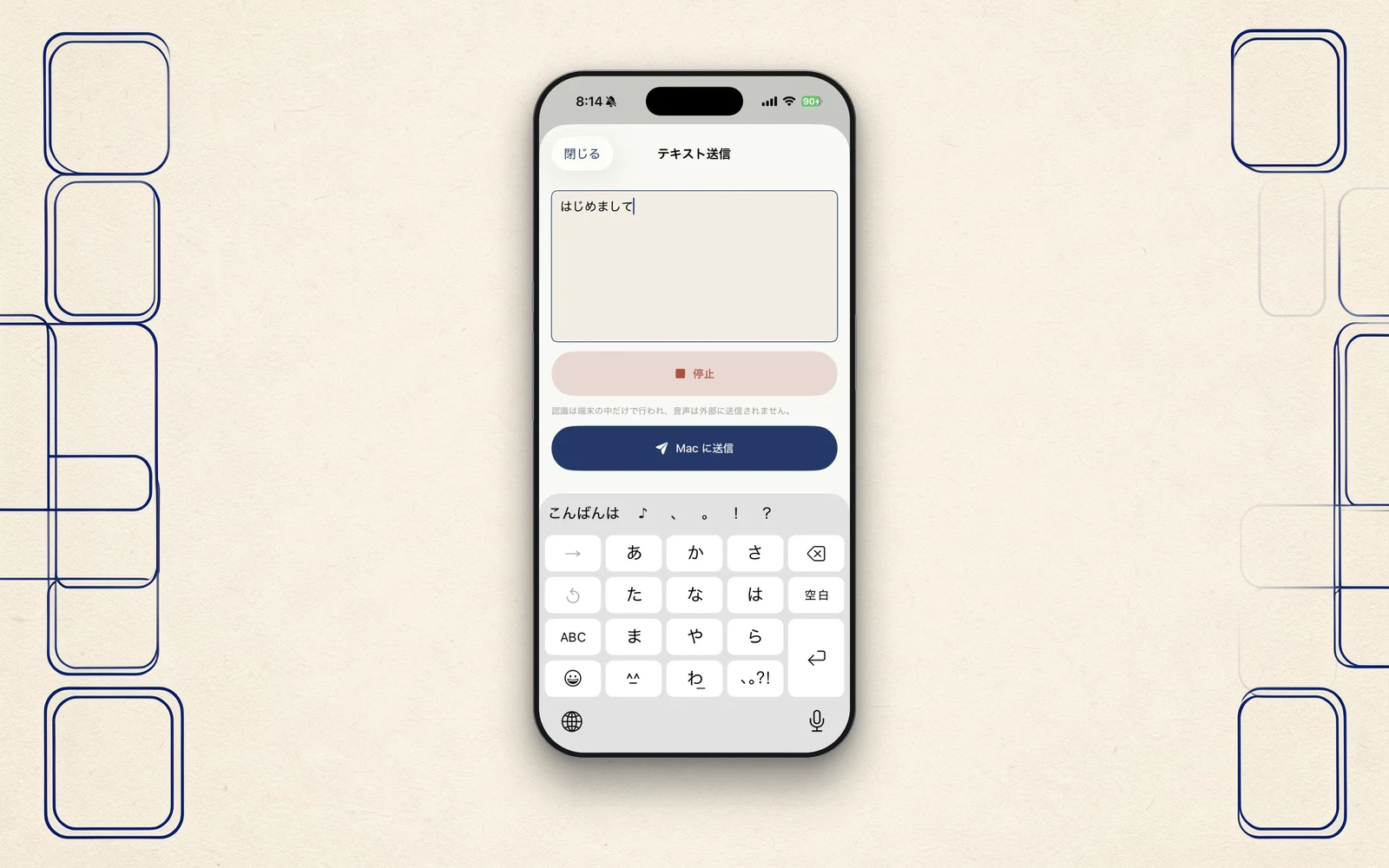
There's a microphone in the iPhone at my hand — and it's the one nearer my mouth. The iPhone also carries, inside the device, the machinery for turning speech into text. So instead of prying the Mac's dictation open from afar, let the iPhone listen, turn it into text, and type that text into the Mac.
From the Mac's point of view, what arrives is plain text input. No special permission, nothing to pry open, no confirmation window. The road for sending keystrokes existed from day one; all this does is send speech-recognition results down that road. Once the approach flipped, progress went startlingly straight. The text is typed without touching the clipboard, so the Mac's copy history stays clean. I typed a Japanese passage through it, saved it, read it back: not one character differed.
One more detour
There was one more small detour inside this feature. The first design had you use the mic on the iPhone's keyboard (the dictation key). But keyboard dictation follows the keyboard's language — juggle Japanese and English keyboards, and your Japanese sometimes gets recognized as English.
So the app grew its own speech recognition: it listens in the device's language, inside the device. Press, speak, send. What it runs on is the same on-device speech recognition as NOTE, the voice app — the moment two of the family's tools converged on one technology.
Change the arena
What this episode taught me condenses to this: when you can't pry open the other side's machinery, change the arena. I had been grinding on "how do I wake the Mac's feature remotely," and the answer was "you don't have to."
The mic is better near your mouth. The recognition is fine inside the device. The Mac only needs the finished words. My favorite feature in STIL.HUB stands on the site of an abandoned plan.
Next time
Next, a story from outside the code. I submitted to the App Store and was told the words "your iPhone" couldn't be used in the subtitle. The story of hunting down language, everywhere it lived.
STIL.HUB is out on the App Store.