Darkroom NotesSeason 1STIL.Part 1 of 7
The moment you missed is still in the video — starting "Darkroom Notes"
The best expression usually slips away between shutter presses. But if you were filming, that instant is still right there. — Starting today, alongside From the Shelf, I'm beginning a second series about the app I build myself: STIL. The first frame is the simplest question — why I made it.
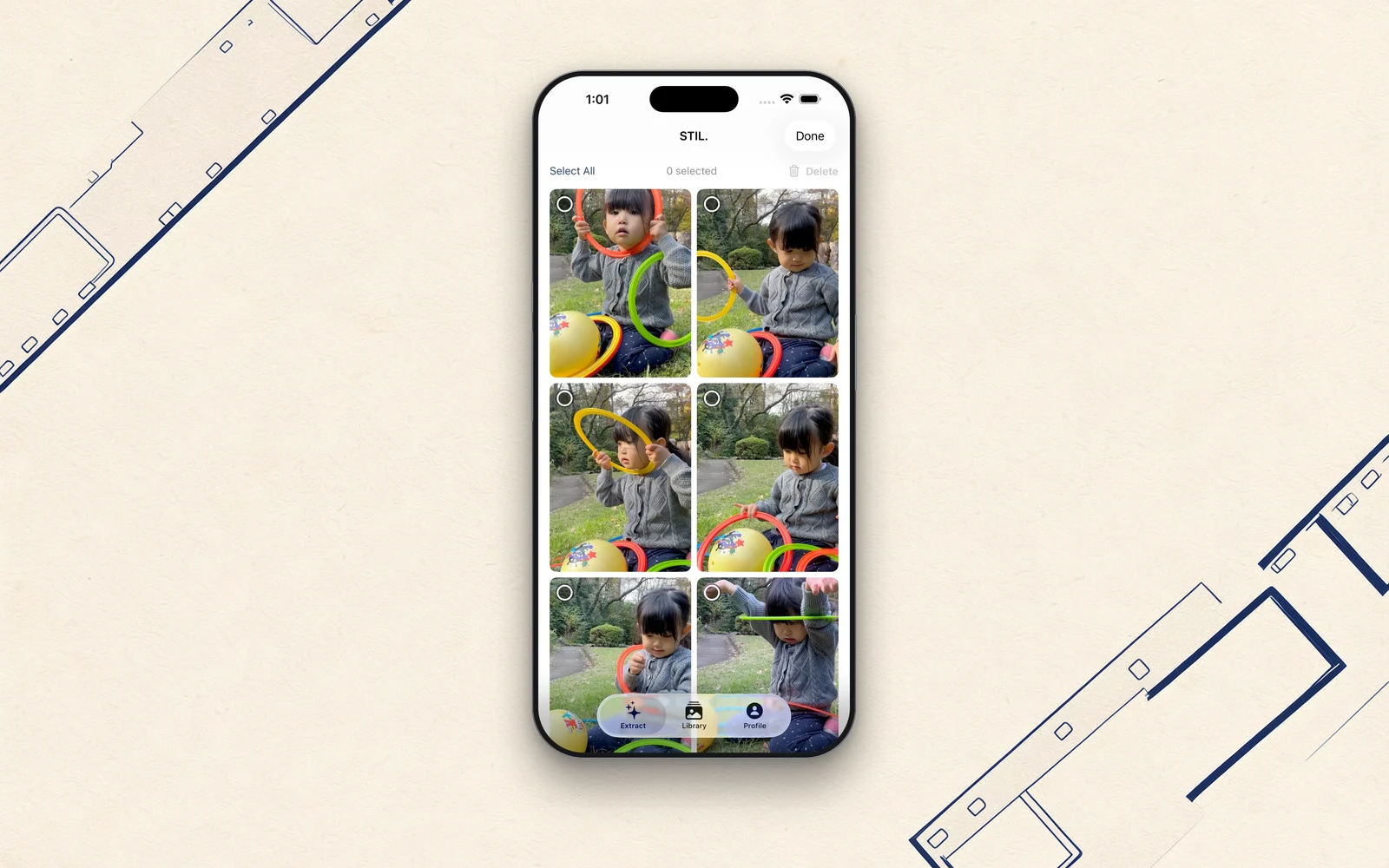
On this site, catsanddogs.tokyo, I've been writing a series called From the Shelf — about the music I've kept around for years. Today I'm starting a second series. This one is about something I make myself.
I build an iPhone app called STIL., on my own. It pulls a single, photograph-worthy frame out of a video. In this series I'll write about how I've built it, and why — backstage and all. The name is "Darkroom Notes." I think of the iPhone in my pocket as a small darkroom.
The first frame is the earliest part of the story — why I made it at all.
The moment you missed is still in the video
I love cameras. Mirrorless, instax, the colours of film. I'm forever photographing my family and the ordinary hours that don't look like much.
But whenever I shoot stills, I run into the same regret. The best expression almost always slips away between shutter presses. The instant a child laughs, a turn of the head, the half-beat when the wind passes through. By the time I think "if only I'd caught that," the face has already moved on.
One day I noticed something obvious. If I'd been filming, that instant is still right there. Inside a single second, dozens of "photographs" sit in a row — and we leave them sleeping as video, never taking even one of them out. So why not just take it out?
The moment I thought I'd missed, I hadn't missed at all. I just hadn't taken it out yet.
So I built it for myself
STIL. exists to make that "taking it out" feel good. In one line:
Shoot video. Keep the best frame.
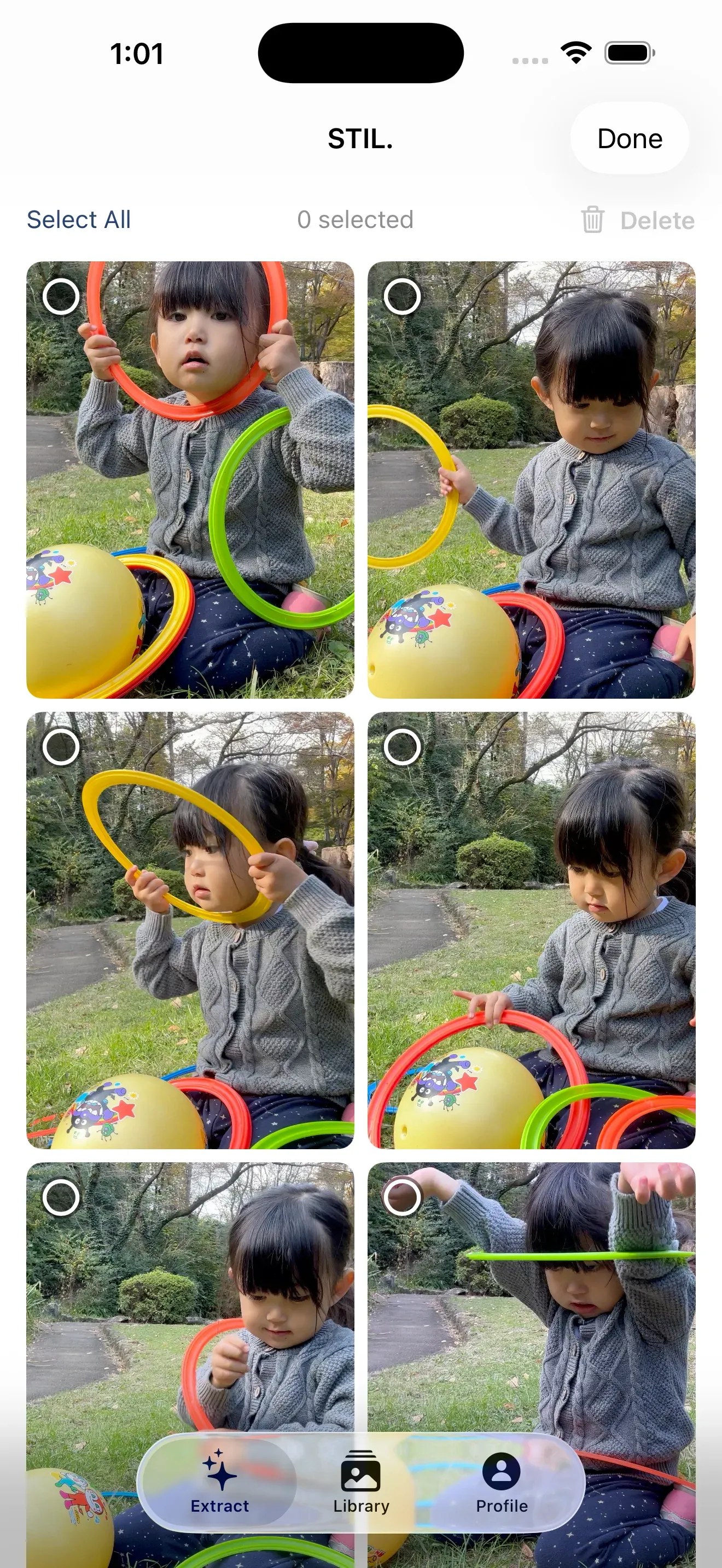
You hand it a video, and using Apple's Vision Framework and my own scoring, it looks at sharpness, how faces come out, and the composition, then picks the frames that could stand as photographs — avoiding the closed-eye moments, keeping the ones that work as a single still. After you've chosen, you can lay film-like colour over it on export, evoking real stocks like Kodak and Fujifilm.
There's nothing flashy about it. But it was the tool I wanted most. Rather than wait for someone else to build the tool I kept wishing existed, I tried building it myself. That's how STIL. started.
Everything, inside this iPhone
There's one more thing I want to say at the outset. STIL. never sends your videos or photos anywhere. Choosing the frame, layering the colour, the enhancements — all of it stays inside your iPhone. Nothing is uploaded to a server, and there's no account to create.
Why I held so firmly to that is worth a whole post of its own, so I'll come back to it soon. For today, just this: your material never leaves the device. It's probably the one thing about STIL. I was least willing to bend on.
What I'll be writing
In this series, I plan to take these out, one at a time:
- The decision not to hold your data (I removed the very idea of an account)
- How the iPhone judges "which frame is good"
- How the film colours are made of my own obsessions
- The record of being rejected three times by the App Store, and getting through on the fourth
- What it means to do all of it alone, alongside a day job
I'll write the honest backstage of a maker, without exaggeration. If From the Shelf is a series about looking back at the music I owned, this one is about putting the things I make with my own hands into words, one at a time.
Beginning
There's already a small darkroom in your pocket. The instant you thought you'd missed — try pulling it out there, as a single frame. Next time, from that darkroom, I'll take out the "privacy" story first.
STIL. is out on the App Store. You'll find more about the app at stil.photo, and the app itself on the App Store. If you like, try pulling a frame out of one of your own videos.