Darkroom NotesSeason 4STIL.RECEIPTPart 1 of 6
I built it for my own taxes — Darkroom Notes, Season 4, and STIL.RECEIPT
Every year at tax time, I'd wrestle with the pile of receipts stuffed in drawers and my wallet. Date, amount, store, tax rate — type each one in by hand, or leave them and cry about it later. The person it troubled most was me. Darkroom Notes, Season 4: my receipt app, STIL.RECEIPT, starting with why I made it.
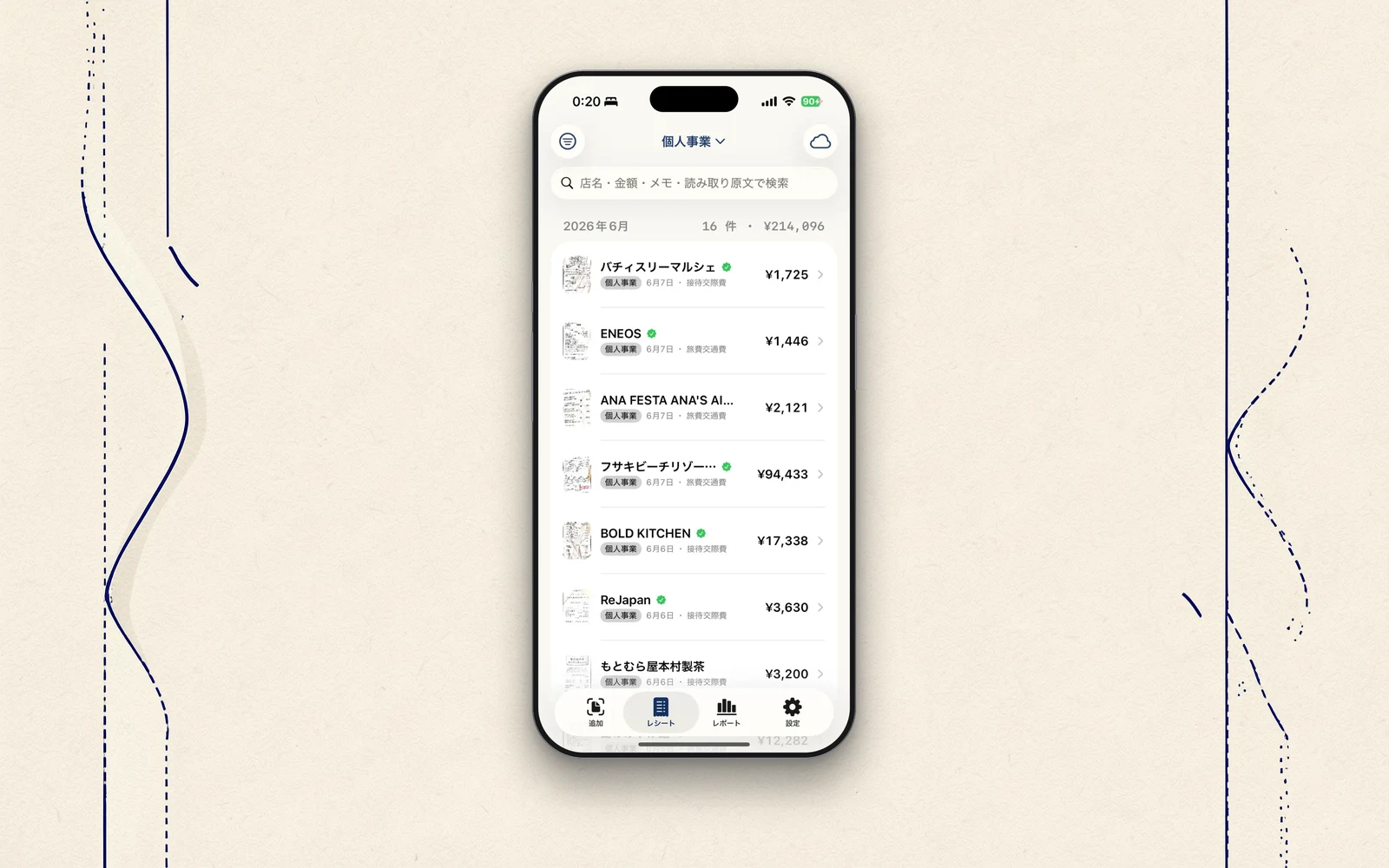
In Darkroom Notes, I've written about STIL., which pulls a frame from a video; STIL.TOON, which turns faces into illustrations; and STIL.BIZ, which turns business cards into contacts. Today's Season 4 picks up from there. STIL.RECEIPT turns a photographed receipt into an expense. It's BIZ's sibling — the second tool for the work side. A receipt, into an expense. As always, the first frame is why I made it.
Wrestling with receipts every tax season
Every year at tax time, I went through the same routine. The pile of receipts gathered in drawers, my wallet, the pockets of my bag. Date, amount, which store, what tax rate. Type each one in by hand, or look the other way and cry about it later.
And the person it troubled most was none other than me. So the reason to build this was clear. If I use it myself every day, the quality goes up — because I'm the first to suffer wherever I cut a corner. After building STIL.BIZ, which turns cards into contacts, I figured that "capture, then structure" approach should work on receipts too.
But far harder to read than a card
But I found out almost as soon as I started building. A receipt is far harder to read than a business card.
Faint thermal-paper printing, tiny print, layouts that differ from store to store, discounts, two tax rates. A card mostly follows a fixed form. A receipt has no form. The experience from BIZ was a foundation, but not a guarantee. So with RECEIPT, I began by isolating the hardest part — reading accuracy — and verifying it on its own. The story of that struggle starts next time.
On-device doesn't change
There's one thing I never budged on from the start. The information it reads is never sent to a server. Capture, text recognition, sorting, storage — all inside this iPhone. There's no account to create, either.
This is the same thinking I wrote about with cards, in The cards I didn't want to upload. A receipt has your life printed right on it — what you bought, where you went, how much you spent. The contents of your expenses are, in a way, the very outline of your business. I didn't want to hand that over for the sake of convenience.
What I'll write in Season 4
In this Season 4, I'll take out, one at a time, the things that happened while building STIL.RECEIPT.
- The problem of a receipt's "table" coming back split into two lines, and how I fixed it
- When AI and rules both misread a number, and math came to the rescue
- A way of building that turns every bug found on a real device into a test
- The decision to deliberately not write "fully supported"
- How a captured receipt becomes an expense
Like the first three apps, I'll write the honest backstage, without exaggeration. It's the story of one more tool added on the work side.
Beginning
A receipt, into an expense. So I can stop piling them up and crying about it later. I made STIL.RECEIPT for myself, first. Next time, I'll start with that first hard part — what exactly makes a receipt harder to read than a card.
STIL.RECEIPT is out on the App Store. You'll find more about the app at stil.photo/receipt, and the app itself on the App Store.